One of the service offerings in the Canada Post Developer Program is parcel pickup web services. You can integrate these services into your ecommerce solution to enable easy requests for on-demand pickups. Pickup web services are particularly ideal for Ship from Store applications. Our API allows you to provide an integrated version of the on-demand pickup functionality found in our pickup tool.
How pickup web services work
You can request a pickup at your business location or a third-party location. To use third-party pickup you must be a commercial customer with third-party pickup specified in your contract.
Follow these steps to request a pickup:
-
Request a pickup Request a pickup using our Create Pickup Request web service: REST | SOAP. Among other elements, your request will include the following:
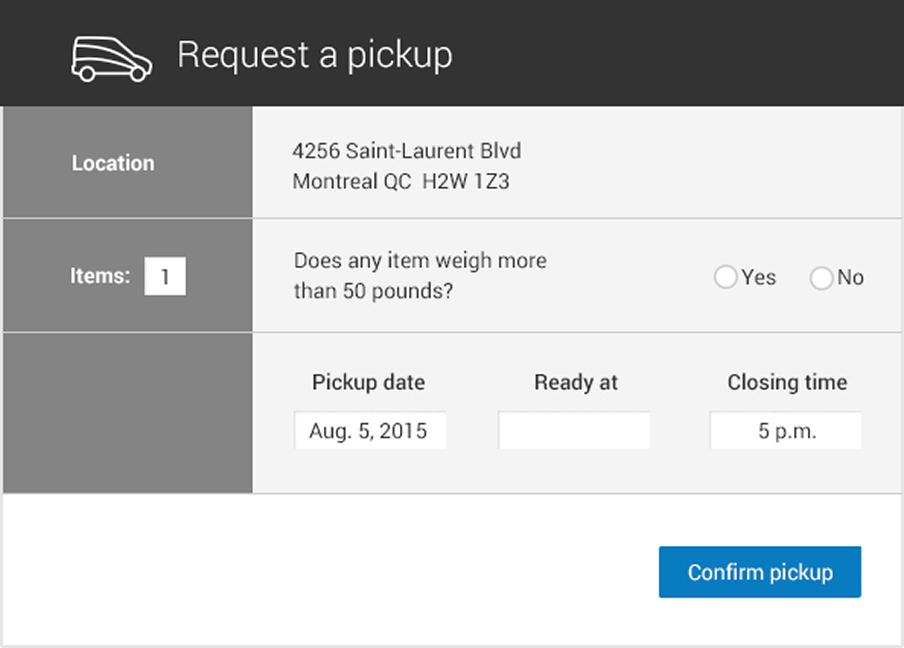
- Pickup location: specify whether the pickup is at the business address we have on file for you or at an alternate/third-party location (third-party pickups are still billed to you).
- Pickup date: request a pickup up the day you need it, up to 30 days in advance if you have a parcel agreement, or up to 5 days in advance if you don’t.
-
On-demand pickup time: your preferred time must be between noon and 4 pm. For same-day pickups, you must submit the request at least one hour before your desired pickup time. Your closing time must be at least an hour after the preferred time. See the full list of request elements in the Create Pickup Request web service: REST | SOAP.
-
Get a reply The reply to a successful pickup request will provide you with a request ID number and a status of pending. If you request a same-day pickup after the cut-off times for that day, you’ll receive an error.
Ship from Store considerations
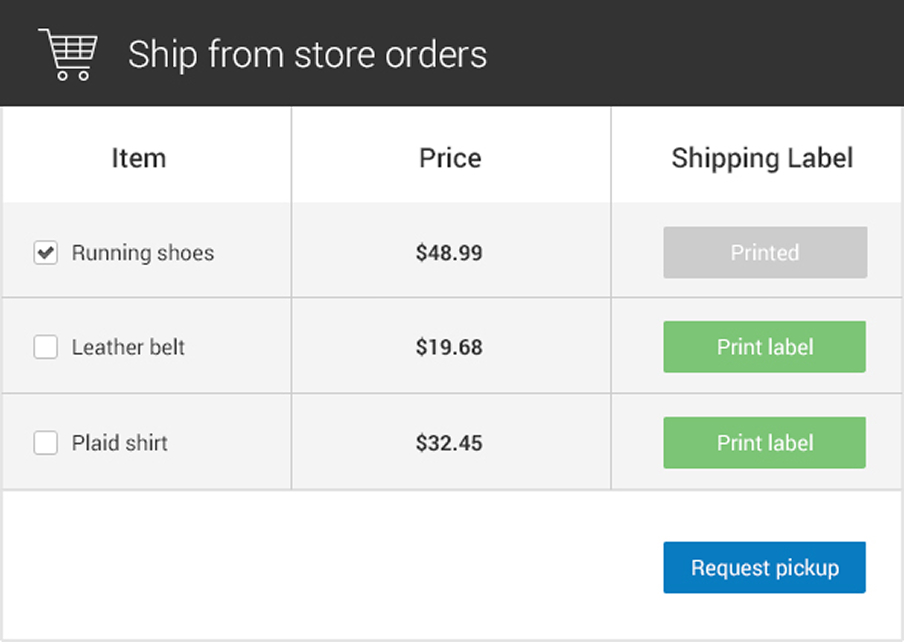
For Ship from Store applications, we recommend you design your solution so every store outlet has its own Canada Post customer number. This allows each store to easily request a pickup at their own location. Consider adding the pickup request function into your admin panel to allow store staff to quickly and easily request a pickup.
The illustrations below show a sample admin panel interface. As you can see, most fields are pre-populated for the convenience of store staff.