Browse this topic
Software Evaluation and Recognition Program (SERP) generated label specifications
These container labels are produced using Software Evaluation and Recognition Program (SERP) software. The SERP software ensures that all the required data elements and the barcode content are provided before you print container labels for your mailing.
It’s simpler and recommended that you use the labels produced by a SERP software. If this isn’t possible, you need to contact your Canada Post sales representative to request a copy of the Engineering Specification 3651 - Shipping Unit and Container Labels for Special Handling. That document gives detailed instructions and technical rules to generate 2D barcoded labels. Once you’ve completed your implementation, you must submit label samples to us. We’ll verify that they’re compliant with Specification 3651.
If you have any questions about SERP-generated container labels, please contact your SERP software provider. For the current list of Canada Post recognized SERP software, visit our SERP software vendor page.
Improvements and usage
The container labels have improved data elements and barcode content that will streamline receiving and verification activities when you deposit your mail. The new labels also streamline sortation and material handling activities in our mail processing plants.
Barcoded container labels apply to:
- Personalized Mail™ Special Handling, Postal Code Targeting Special Handling, and Publications Mail™ Special Handling (mandatory)
- Delivery Facility Presort (DFP) and Machineable Mail (available for customers wanting label standardization)
Container label stock
Characteristic: Flat label (continuous strips or individually produced)
Size: Width: 152 mm x Height: 67 mm (with approximately 0.5 mm tolerance for each dimension)
Colour: White
Thickness: Label paper stock requirements examples
- Cover - Not less than 65 lbs. (175 gsm)
- Index - Not less than 90 lbs. (160 gsm)
- Bond - Not less than 32 lbs. (120 gsm)
The card must be sufficiently rigid to enable secure retention within the mail container card holder (sleeve or frame) during handling transportation.
Container label print specification
Printer: High-contrast Data Matrix printing capabilities (for example, thermal or laser printer)
Print colour: Black
Print Instructions:
- Print on one side only.
- When printing labels using Adobe® Acrobat®, to ensure the labels print to the correct size, the print instructions must be set to “Actual size”.
- If using continuous rolls or perforated stock, make sure your labels print in the designated print area with no offset impeding the white margins and white quiet zone of 3 mm around the barcode perimeter, especially to the left and right side of the barcode.
PDF print scaling: If printing PDF label files, make sure you set the scaling option to “None” to preserve the original font, graphic and barcode dimensions.
Print quality: Minimum Grade B as per ISO/IEC 15415 Specification.
Label cutting: Carefully cut your labels to preserve their dimensions, white margins and 3 mm quiet zones around the barcode perimeter, to ensure your labels stay sturdy in the label holders and to maximize scanning readability.
Label insertion: Insert the container labels in the label holder before depositing your mail. The data matrix barcode and its 3 mm wide quiet zone must extend completely outside the holder.
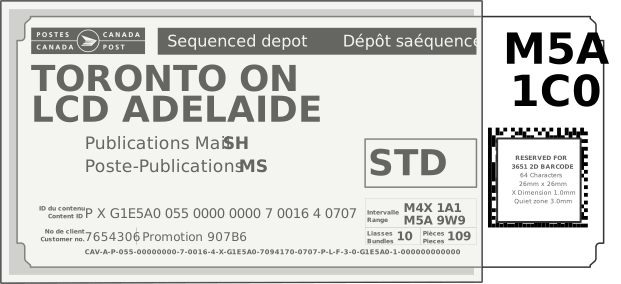
Container label in flats tub sleeve
This image is not to scale
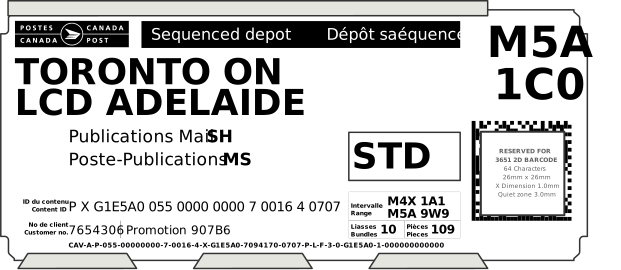
Container label in Letterflatainer label holder
This image is not to scale
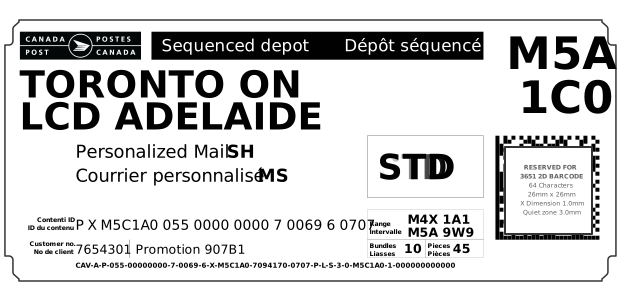
Standard Special Handling barcoded container label
This image is not to scale
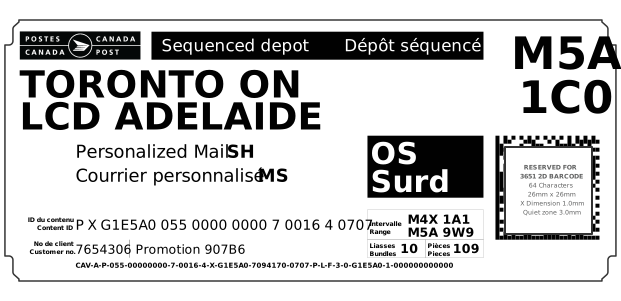
Oversize Special Handling barcoded container label
This image is not to scale
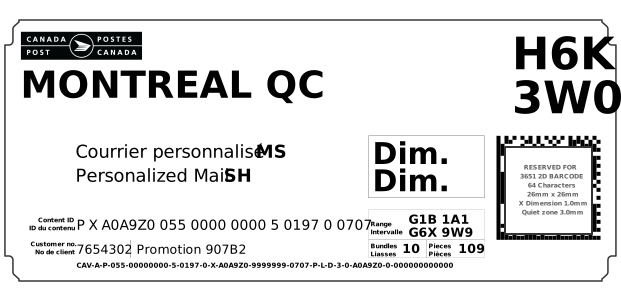
Dimensional Special Handling continuous self-adhesive barcoded container label
This image is not to scale
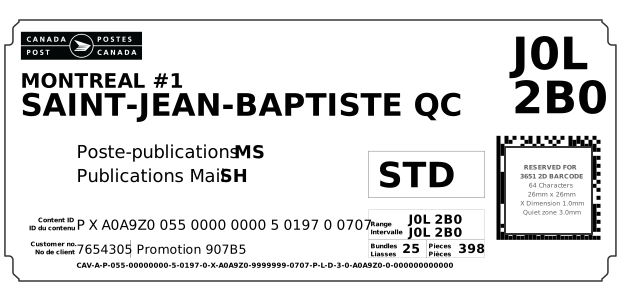
Dimensional Special Handling barcoded container label
This image is not to scale
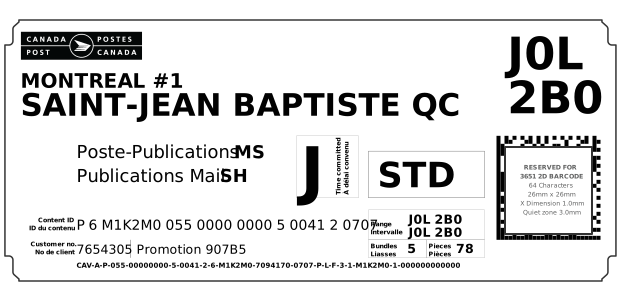
Standard Special Handling Time Committed barcoded container label
This image is not to scale
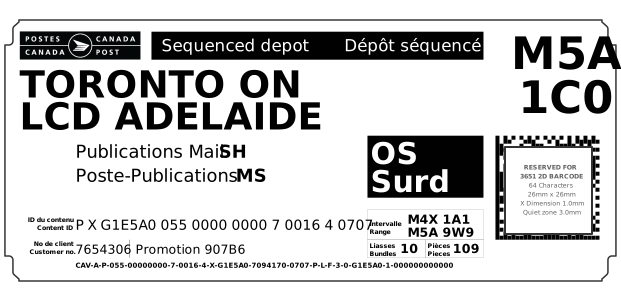
Oversize Special Handling Time Committed barcoded container label
This image is not to scale
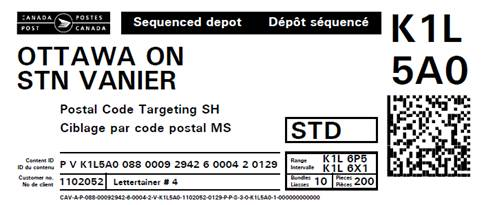
Standard Special Handling Postal Code Targeting barcoded container label
This image is not to scale
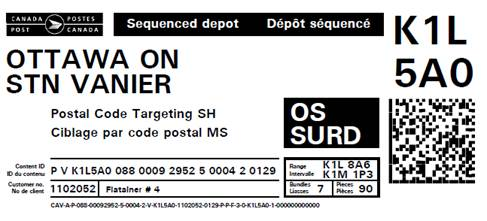
Oversize Special Handling Postal Code Targeting barcoded container label
This image is not to scale